Network Closet — Device Inventory
A reference guide to everything in the network closet, for when you need to identify a device or understand what does what.
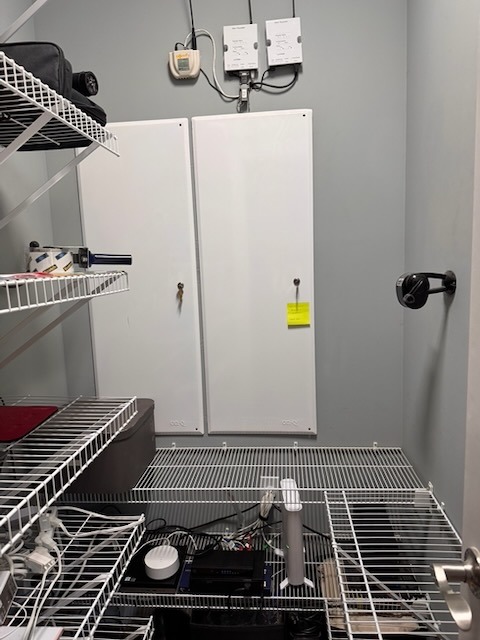
Left Panel — OmniPro II
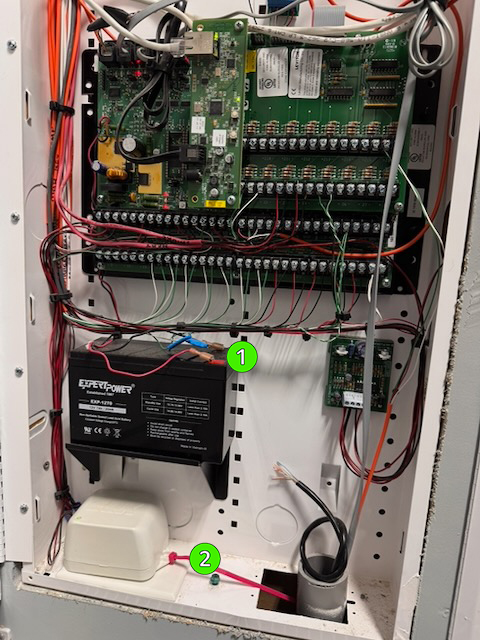
The Leviton OmniPro II is the home security and automation controller — it manages door locks, the alarm, and some lighting zones. The only reason to open this panel is to cut power (battery + A/C adapter) during an alarm emergency or full network reset.
Right Panel — Lutron RadioRA 2 & Networking
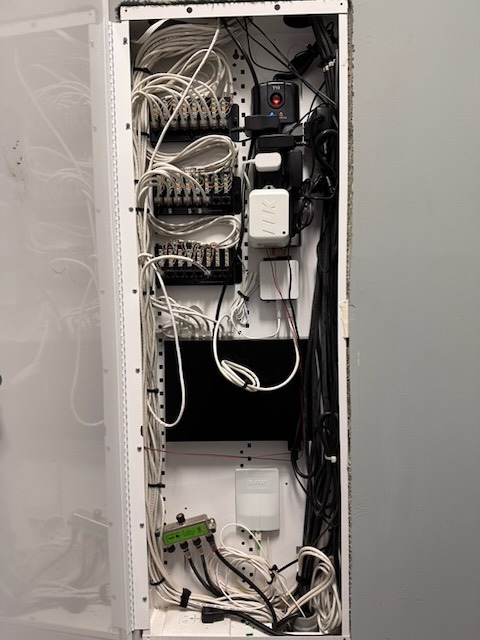
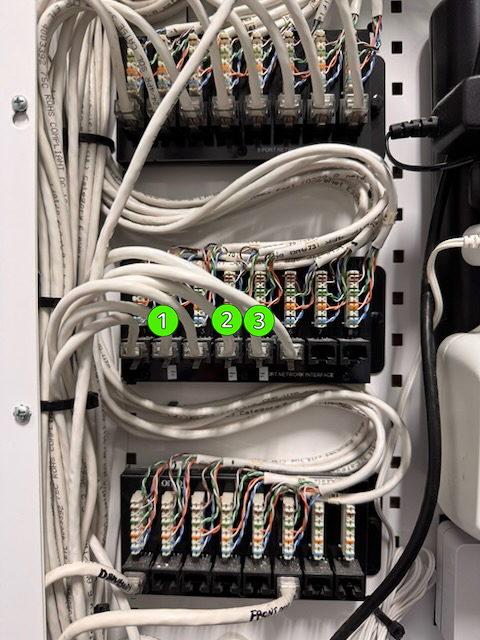
The red button (top right of right panel, on the power strip) cuts power to the Lutron system. It does not cut power to the UniFi access points — those are powered via PoE from the switch on the bottom shelf.
Above this panel: the Somfy URTSI (motorized shade controller for Dining Room and Family Room) and two Lutron RadioRA 2 repeaters.
Bottom Shelf
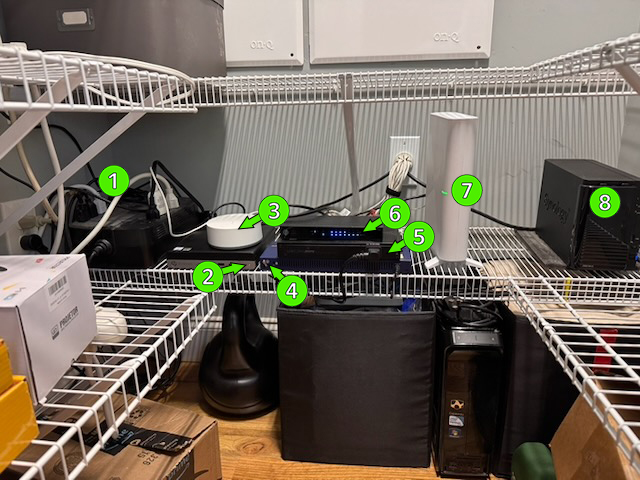
⑤ Ubiquiti EdgeRouter · ⑥ Pakedge switch · ⑦ T-Mobile modem · ⑧ Synology DS216+II (NAS / file server)
What Each Device Does
- APC Back-UPS: Battery backup — keeps critical devices running briefly during a power outage.
- HP EliteDesk 800 G3 Mini (Network Closet PC): Runs OmniLinkBridge (MQTT bridge to enable OmniPro II communication with Home Assistant), UniFi network controller, and DuckDNS. Power button shuts it down gracefully.
- TRÅDFRI gateway: IKEA smart lighting hub.
- Netgear switch: Network switch — routes traffic between devices.
- EdgeRouter: Main router — manages all home network traffic.
- Pakedge switch: Additional network switch with 4 PoE ports.
- T-Mobile modem: Internet connection from T-Mobile.
- Synology DS216+II: Network-attached storage.